Set Up SmartCredit
Connect your SmartCredit partner account to Crelit with an API key and secret.
Crelit gets your clients' credit reports through SmartCredit. To connect it, you need an API key and an API secret from a SmartCredit partner account.
1. Create a SmartCredit partner account
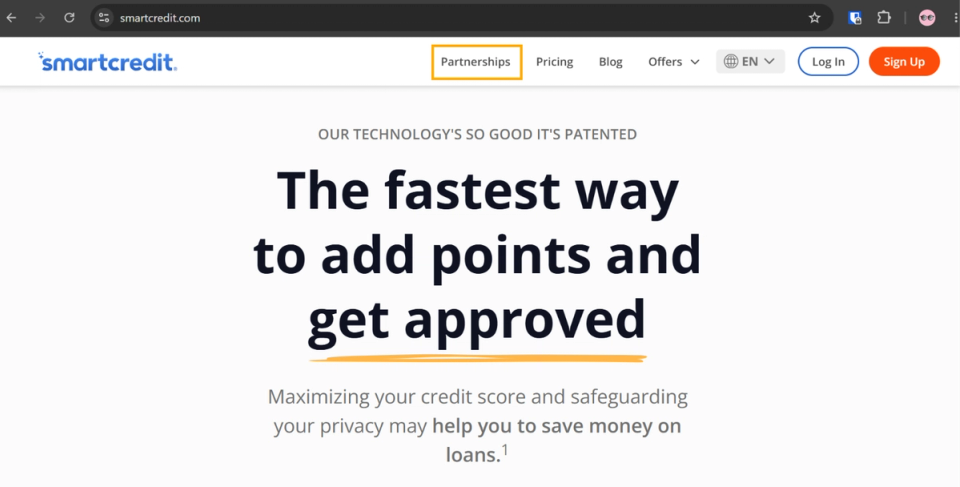
Go to smartcredit.com, click Partnerships, then click Become a Partner and complete the application. Wait until SmartCredit approves your account.

2. Have at least one active client
Once your account is approved, you need at least one active client in your partner account. This enables the Client Manager section in PartnerHub, which you need for the next step.
3. Open Integrations
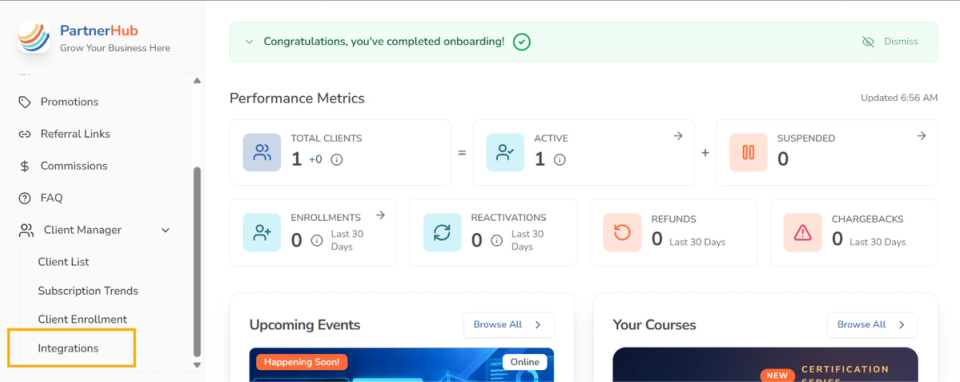
In PartnerHub, open Client Manager in the left sidebar and click Integrations.
4. Generate a new key
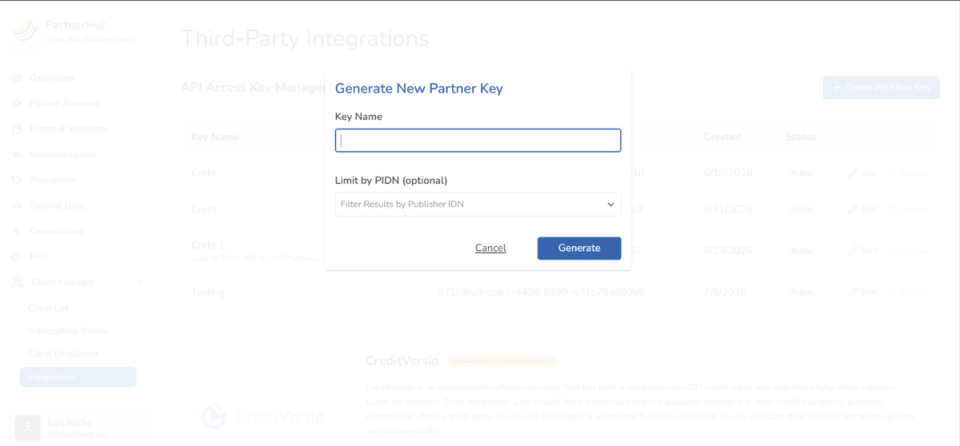
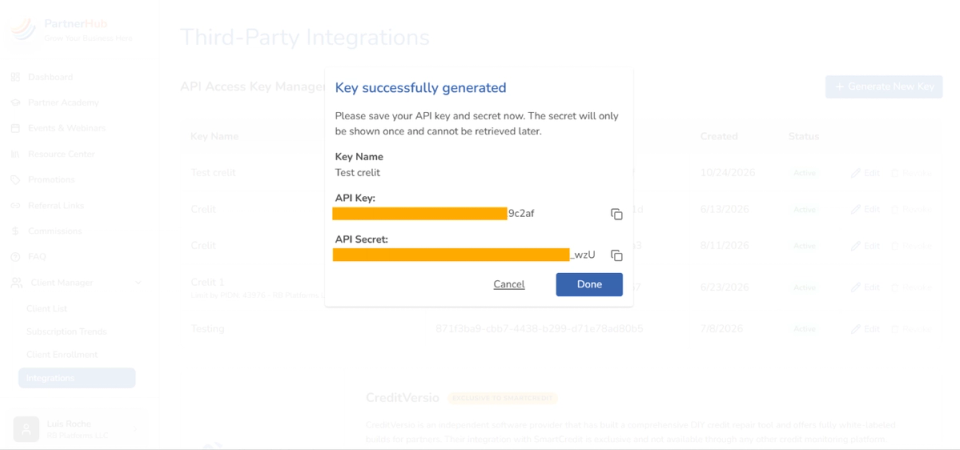
Click Generate New Key, enter a Key Name (for example, Crelit) and click Generate. Copy the API Key and the API Secret. The secret is shown only once and can't be retrieved later, so copy it before closing the window.
5. Paste them into Crelit
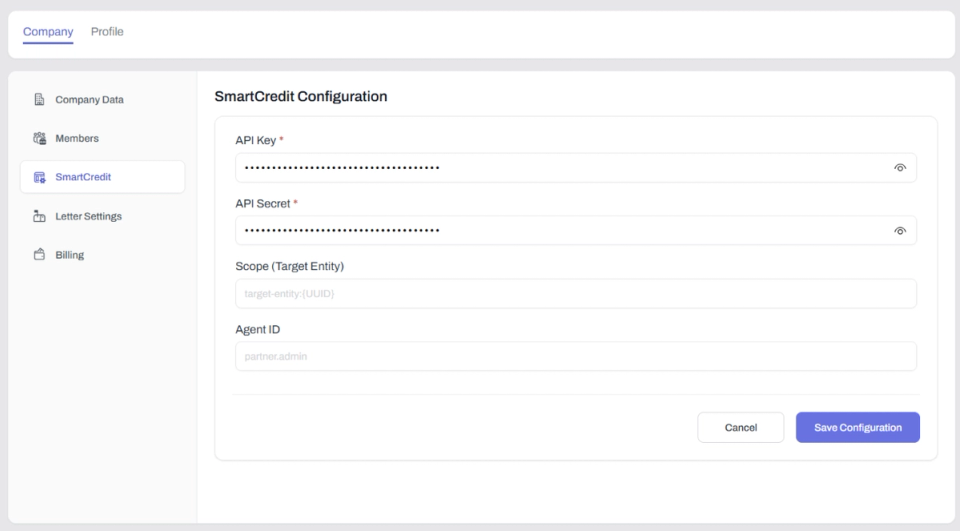
In Crelit, go to Settings > Company and open the SmartCredit tab. Paste the API Key and the API Secret, then click Save Configuration. Scope (Target Entity) and Agent ID are optional.
Need help? Contact us and our support team will be happy to assist you.